Three years ago I started feeling a lot of wrist pain when working/typing on my Keychron K3 keyboard for longer than 2 hours, past the first hour, the pain was bearable. That is when I accepted the quest to use ergonomic split keyboards.

I always wanted to get an Ergodox EZ keyboard, is a fancy split ergonomic keyboard that you can program and remap each individual keys, that means that I could place the ESC key where the P key is for instance, I don’t see why anyone would do that.

I knew about the Ergodox EZ for a very long time at that point, I was fascinated that you could remap keys and have macros or even use the keyboard as a mouse and control the cursor. The most impressive thing for me was that all the customization carries on with the Keyboard, not the system on the computer. That means that I could carry the keymap with me to any computer that I would use.
My solution came with some problems
- First of all, the Ergodox EZ is a very expensive keyboard.
- Importing fees in Brazil are not so friendly ( I would pay ~92% of the keyboard price on fees ).
- I would not have coverage for the manufacturer warranty in Brazil, and if I would send them a defective keyboard I would have to pay the importing fees again for when they return me the keyboard.
Turn around
I could get the ZSA Moonlander, a cheaper option from the same manufacturer, that worked even better for me and that packed the main features from the Ergodox EZ that matter to me. The company I work for even paid for it.

Moonlander
It was a good 3 years run with the Moonlander, but it is a bit of a chunky keyboard, it runs only on a wired connection and the two halves are connected using a TRRS cable.
It still is an amazing keyboard, but it was lacking some of the new stuff that the split keyboard community could develop during this time. Like bluetooth connectivity.
Open Source Keyboards
Around a year ago I have discovered the community of open source keyboard, and I realized that with some soldering and 3D printing, I could build my own keyboard. There are some popular keyboard projects such as the Corne, Lily58 or the Soffle were great options for me, but I could only find purchase options that were just as expensive as a Moonlander, and those weren’t even pre-assembled.

I could then find some kits for these open source keyboards on AliExpress, and for each of them you can choose among different options of:
- Just PCB
- PCB with diodes
- PCB with diodes and MCUs
- Or even a full kit for a wireless build with RGB LEDs ( no batteries )
You, as I did, would have to only source…
- Batteries ( 301230 Li Po )
- Key switches and key caps for the build
- 3D print a case for it
… and also flash the firmware on the micro controllers.
I finally got to build my keyboard!
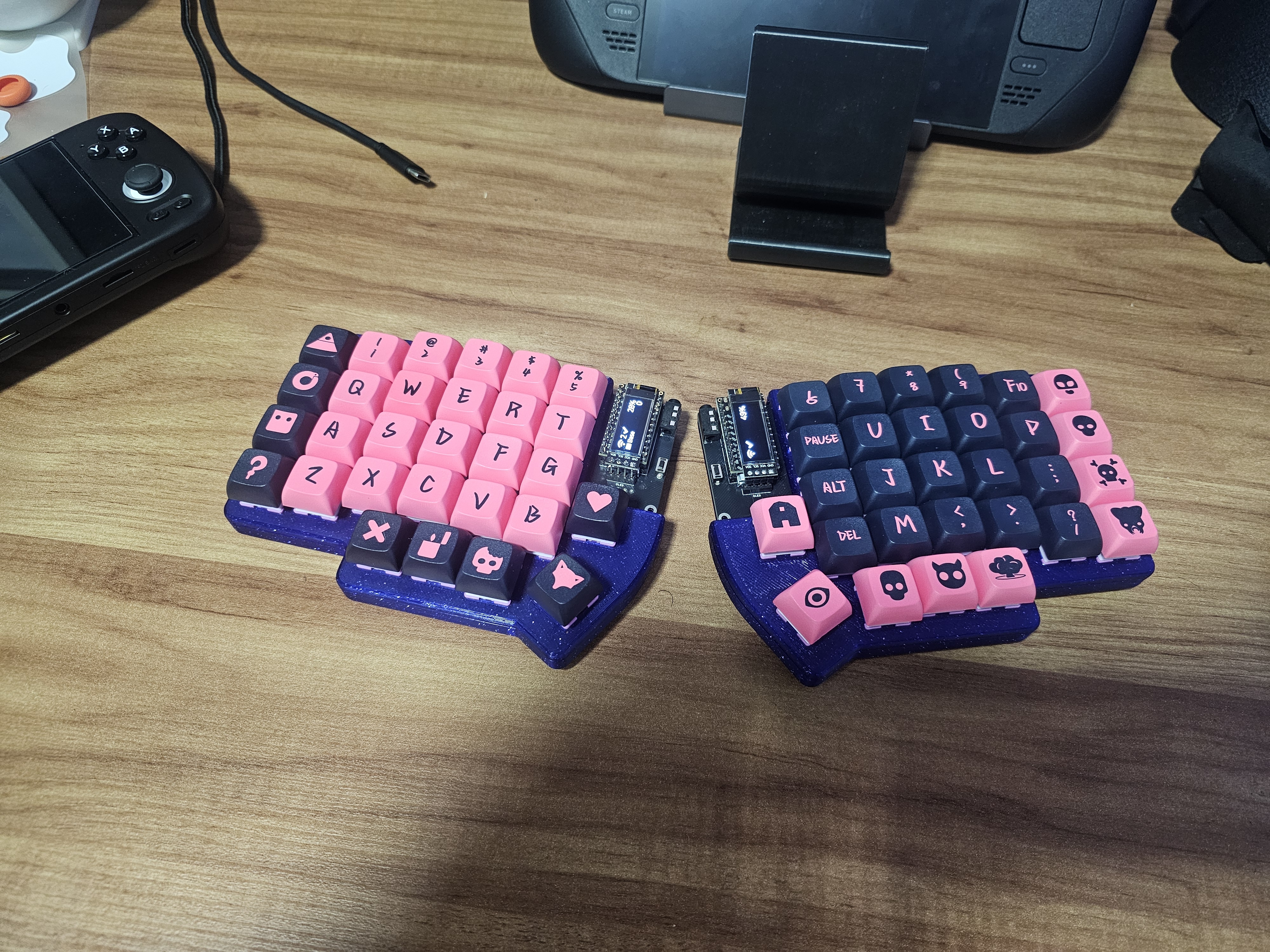
I got the Lily58 Wireless kit, it was the best option for me, the layout is close to the Moonlander with few less keys, but I wasn’t using the full extent of the Moonlander anyways.
Even if the Lily58 is an open source keyboard, different manufacturers have slightly different PCBs for it, so I mixed up the build guide with one from another manufacturer that I’ve found on YouTube. Once I started following the build guide for my PCB, things went well.

You can assemble it without the LEDs if you want to save some time, as the surface mounted LEDs that comes with the kit are tiny, therefore not so easy to solder them.
Falling in love
I have fell in love for this keyboard and my Moonlander is now a wired backup keyboard, even though I can use the Lily58 in wired mode as well.
I’m now even more confident that I can do further downsizing and move to a Corne wireless build in the future, as I learned the power of macros and combos when I started using the Lily58. Macros and combos are also available for the Moonlander, but I only got to use them with the Lily58.
The keyboard is so much smaller than the Moonlander and the key switches I got are very satisfying to type on.I have much less desk clutter now that I don’t have two wires to power my keyboard.
Was it worth it?
I literally encourage anyone to get into split ergonomic keyboard, for health reasons. If you want to start with one, there’s a much cheaper option on AliEXpress, called the Sillakka 54. It is a wired keyboard, that you can purchase only the mounted PCB with not switches or keycaps and source your own, or get one of the pre assembled options.

My Lily58 costed less then R$ 650 ( U$ 115 ), including the key switches and keycaps and 3D printed case, that I sourced myself.
Leave a Reply